Vital signs, from a camera.
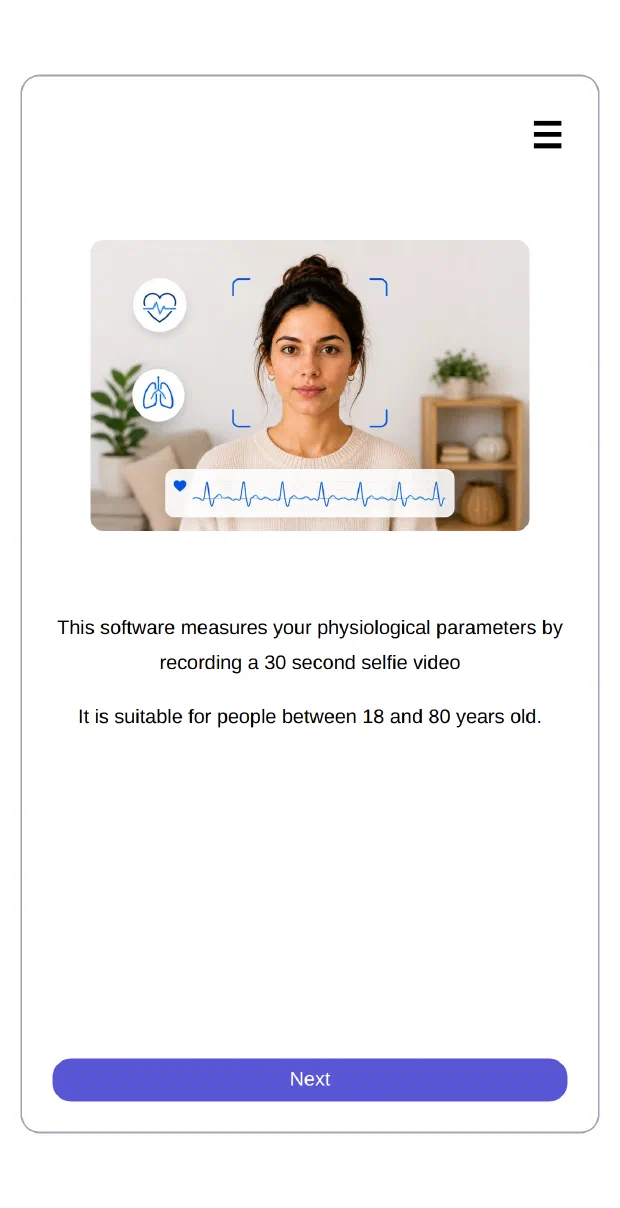
Thirty seconds of video is enough. Saphere finds the pulse in a person’s face and turns it into health data your product can use. Nothing to wear, nothing to plug in: the camera your users already own does the work.
Works on the web, on iOS and Android, and inside hybrid apps.
What you get
Ten variables from one video
One capture of thirty seconds gives heart, breathing and body indicators. Each one comes back with its value, or with a code saying why it could not be produced.
bpm
cpm
ms
scale
mmHg
scale
years
kg/m²
kg/m²
0–100
Each account is set up with the variables it receives. A few of them also need the person’s height, weight, age and sex.
How it works
Reading a pulse with light, in four steps
Blood absorbs light. At every heartbeat, a little more blood flows under the skin, and the colour the face reflects changes very slightly. The eye cannot see it. A camera can.
An ordinary camera films the face
The front camera of a phone, or the webcam of a laptop. Nothing to plug in, nothing to wear, nothing to set up.
The right patches of skin are followed
A face-detection model locates the face. The widget crops to it and keeps only the colour channel that carries the pulse, so what it sends is a small fraction of a video.
The pulse is rebuilt
Thirty seconds of these tiny colour changes, put end to end, draw a wave. Its rhythm is the heartbeat.
The variables are computed
Heart rate, variability, breathing and the other indicators are derived from that wave. Each one comes back either with its value, or with the reason it could not be produced.
Why Saphere
Made to be embedded, not admired
One script, one call
SaphereScan.create(root, options), then bootstrap(). The widget keeps its container, its camera and its styles to itself. It cannot disturb your page, and your page cannot disturb its layout.
Yours, down to the wording
Screens and colours are prepared in the console and attached to the widget by one identifier. Change a palette or drop a screen without deploying anything on your side.
Ten languages, both reading directions
Arabic, German, English, Spanish, French, Italian, Polish, Portuguese, Brazilian Portuguese and Turkish. In Arabic the whole layout is mirrored, from the toolbar to the arrows.
Your key stays on your server
The widget never holds your API key. At the start of each measurement it asks your server for a token that is valid once, and briefly.
Clear about the camera
Five separate screens explain a camera that will not open: permission refused, no camera, camera busy, browser too old, request cancelled. Your code receives the matching code, not a vague failure.
Forty-four events, and hooks
Each screen shown, each camera state, each network hiccup and each stage of the measurement is reported to your code. Hooks let you hold a transition back, or refuse it.
Integration
From an empty page to a real measurement
The widget is a single JavaScript file served from our CDN. You give it a div, and it takes over from there.
<div id="scan" style="height: 100dvh"></div>

<script type="module">
    // The address you load decides the environment: cdn.test.saphere.ai
    // reaches Test, and the widget follows it all the way through.
    import SaphereScan from "https://cdn.saphere.ai/saphere-scan/v2/main.js"

    const instance = SaphereScan.create("#scan", {
        lang: "en",
        // The widget never holds your API key. It asks your server for a
        // short-lived token at the start of each measurement.
        proxy: {
            retrieveAccessToken: {
                strategy: "delegate",
                url: "/api/saphere-token"
            }
        },
        onEvent: event => {
            if (event.type === "measure:result")
                console.log(event.result.variables)
        }
    })

    await instance.bootstrap()
</script>
Runs where your users are
A browser, a React Native app, an Ionic or Capacitor app. All the widget needs is a camera and a container.
Nothing to host
The code, the face-detection model and the images all come from our CDN. On your side, a script tag is enough.
Says what went wrong
A camera refused, a token your server declined, a network that drops: each case arrives as a named event, so your support team can see what happened.
Who it is for
Wherever a body has to be measured without being touched
Insurance
Underwriting and wellbeing programmes, with no visit to a clinic.
Telemedicine
Vitals collected before the appointment, on the patient's own device.
Workplace wellbeing
Voluntary check-ins, with no equipment to hand out.
Fitness and wellness
Recovery and stress indicators, inside an app people already open.
Research
Collection over time, at a scale no equipment could reach.
Connected health
A layer of vitals for products that have a camera and no sensor.
Public terminals
Pharmacy and workplace kiosks, contactless by design.
Vehicles and industry
Driver and operator alertness, from a camera already in place.
Read the docs, or talk to us
The quickstart runs a complete measurement in about ten minutes, on the Test environment.